A visual planner for scattered brains
Everything on your mind, at a glance.
Hand me the 47 open tabs in your head. I’ll find the one playing music. Companies, school, family, you: I sort it, put it where it belongs, and I don’t forget.
No account needed to poke around · Opens in your browser on phone, tablet, desktop
- I never change anything without asking
- Export or delete your data any time
- I don’t invent dates. If I don’t know, I ask
- I’m not a doctor, no diagnoses. Just a planner
The toolbox scattered brains actually like.
Most planners ask you for order first. I do the opposite: bring your mess as-is and I’ll build the order. Including the Monday-plan-forgotten-by-Tuesday part.
I’m stuck, I’m frozen
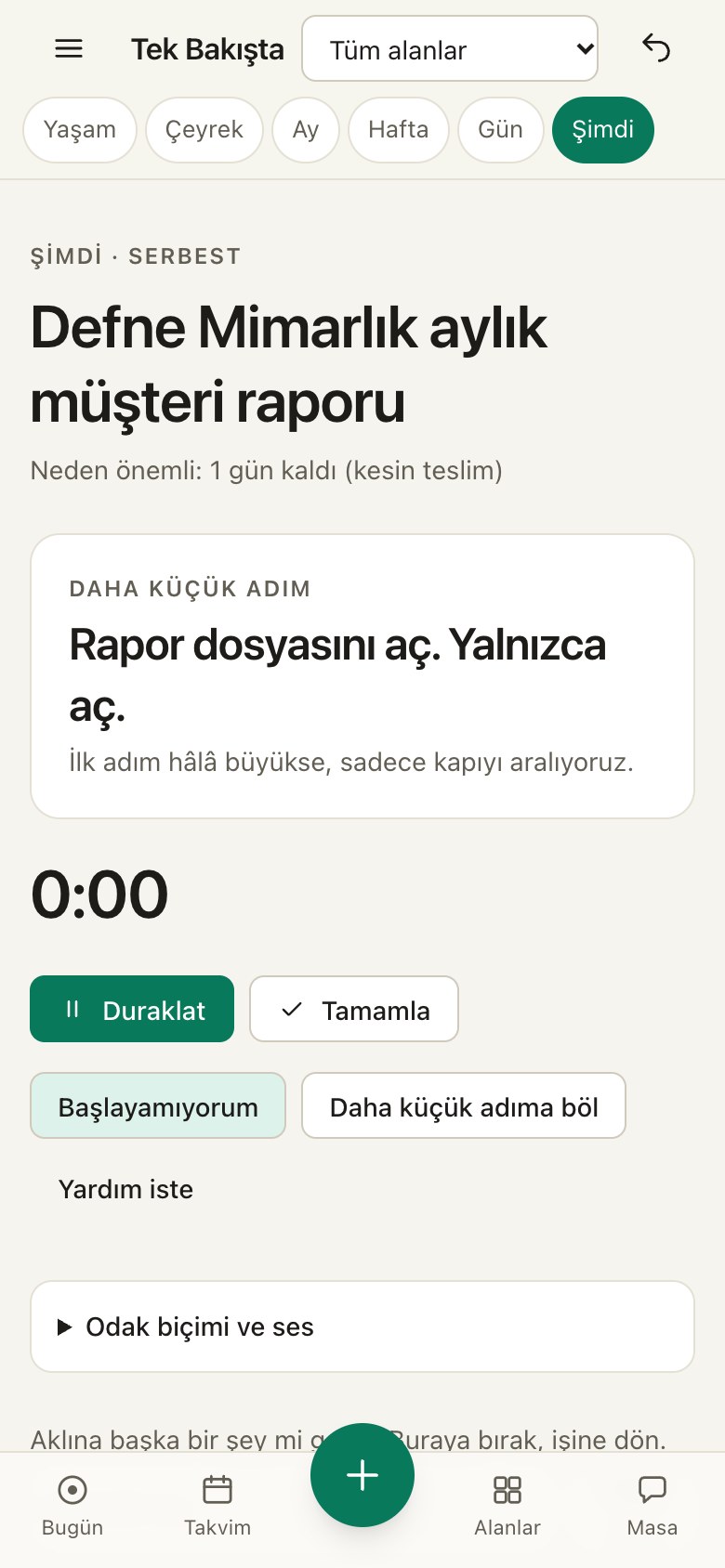
Hit “I can’t start.” I shrink the task to the smallest step you can take: “Open the file.” Still hard? I shrink it again. Eventually it’s “look at the file icon.” Promise.
See your day at a glance
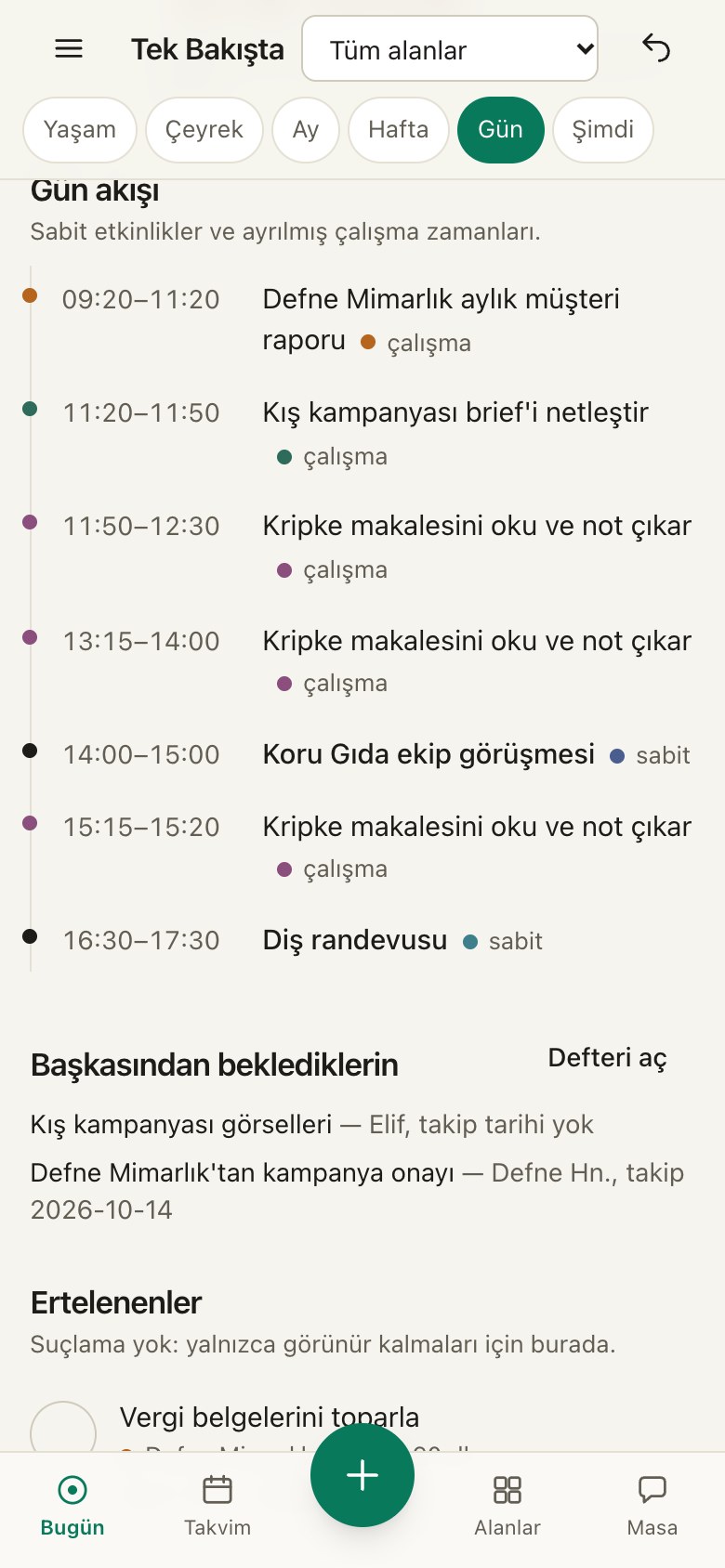
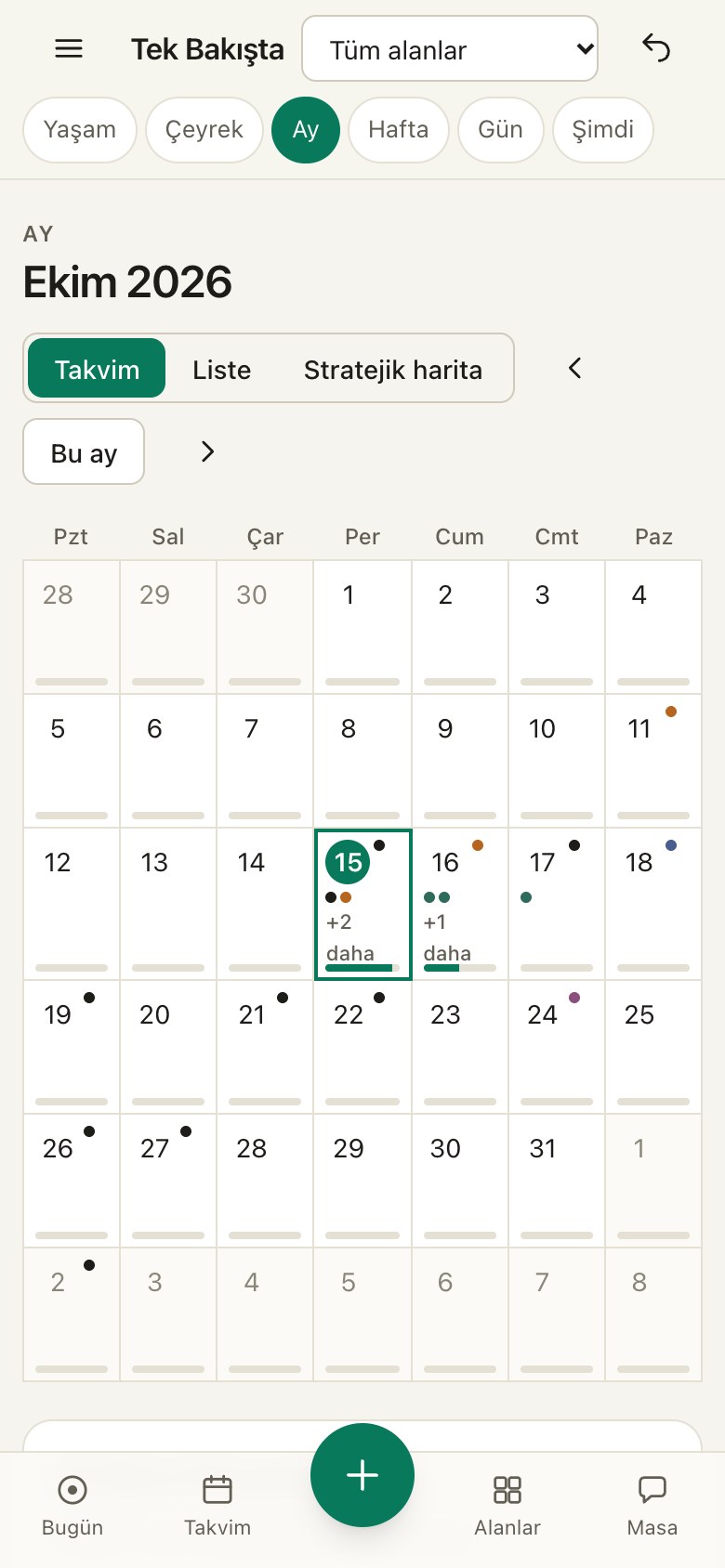
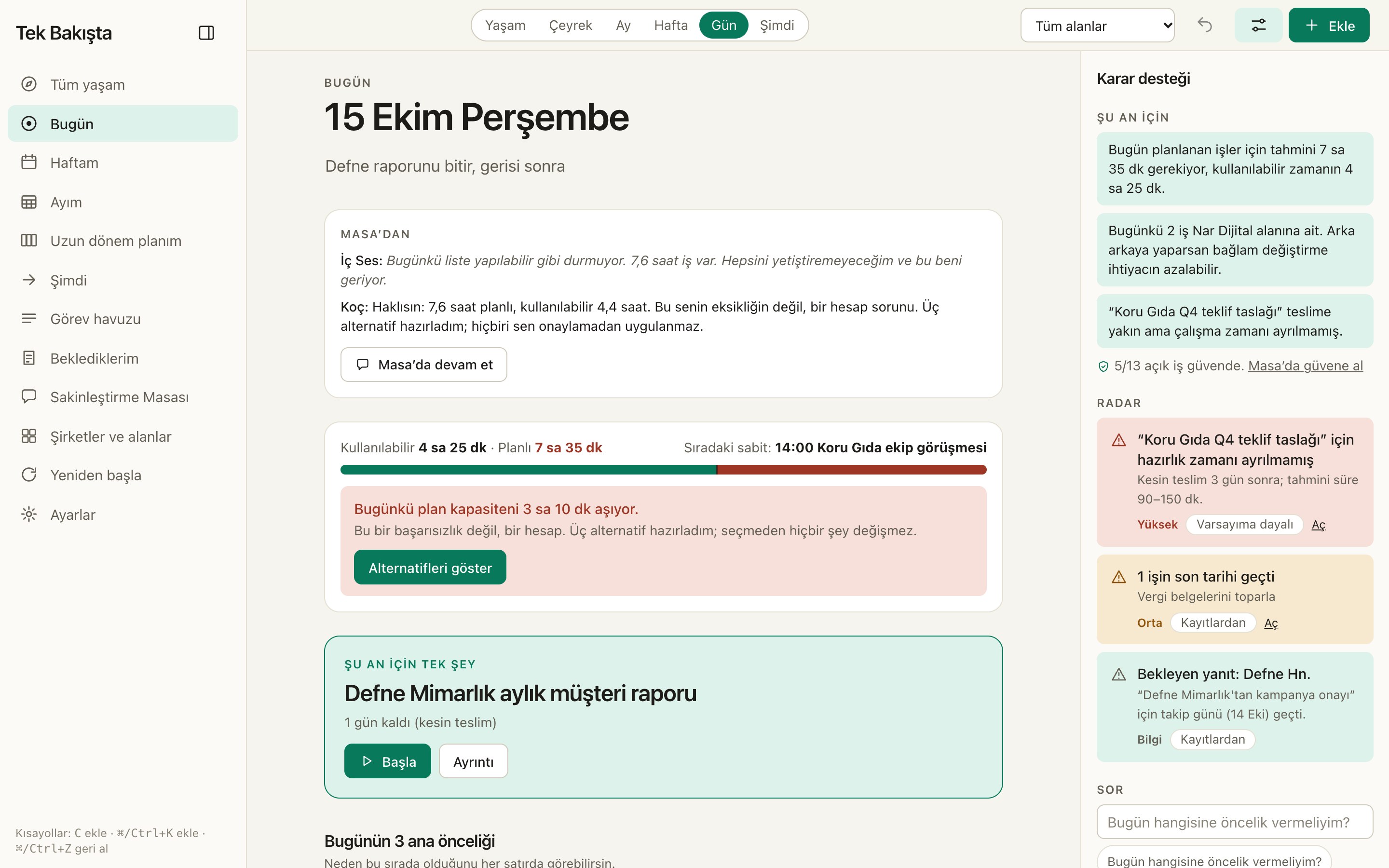
Day, week, month on one screen. If the day overflows I say so politely and show three ways out. No shouting.
Whatever feels right
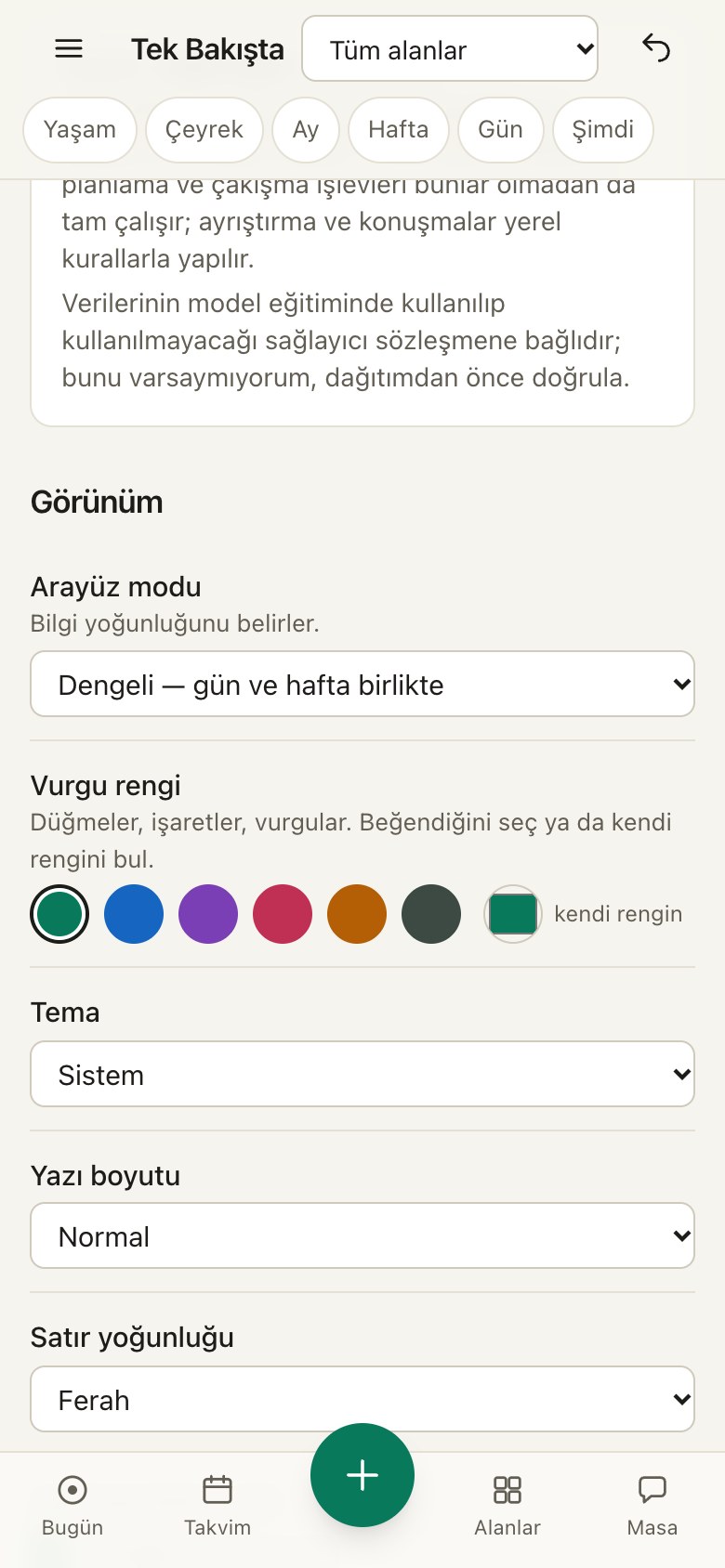
Pick your color, enlarge the text, tone the animations down. Not an emerald person? Fine, there’s a whole family of colors in the menu.
One box for everything
Type or talk. Task, meeting, decision, I’ll sort it. Didn’t write a date? I won’t make one up. I’ll ask, one tap.
Poke around
Type something, see how I sort it.
Not an animation, it really works. Write your own sentence. What you type goes nowhere, and I can’t see it either. (For now the sorter reads Turkish only.)
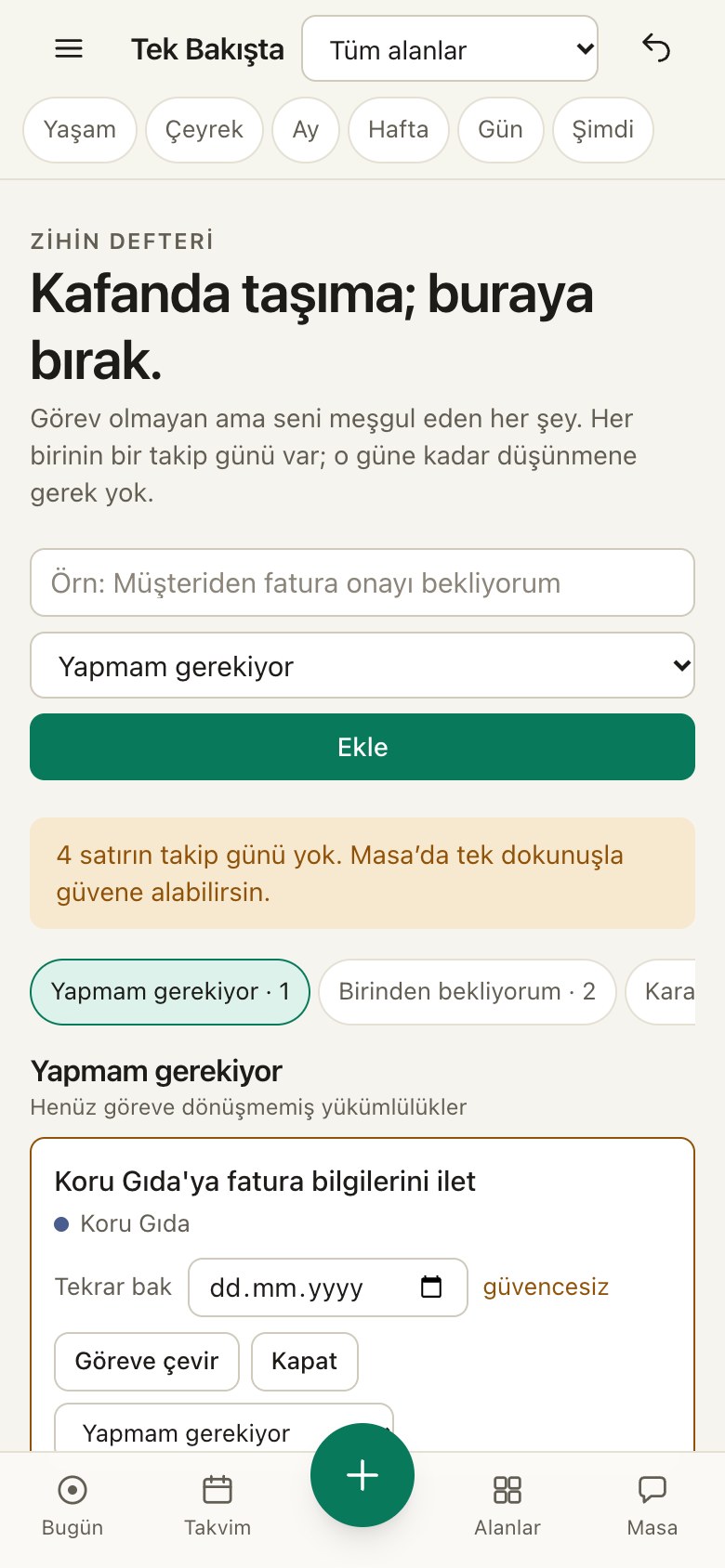
Dump it — one box, everything
live demoWrite your own sentences and watch me sort them on the right. Nothing is sent anywhere. (The sorter reads Turkish for now.)
In the app you can say it out loud too.
- TaskSometime next week~30–60 min
Üç şirketin içerikleri hazırlanacak
When? Today · Tomorrow · No date, fine
- EventThursday (in 7 days)
Akademik sunum
Assumption: “Önümüzdeki hafta” bağlamına göre gelecek haftanın günü olarak aldım.
- Task~25–45 min
İngilizce çalış
When? Today · Tomorrow · No date, fine
- TaskDue · Friday (in 8 days)~60–180 min
Müşteri raporlarını yetiştir
Assumption: “Önümüzdeki hafta” bağlamına göre gelecek haftanın günü olarak aldım.
- EventWednesday 14:00
Toplantı
Assumption: “öğleden sonra” için 14:00 varsaydım.
Assumption: “Önümüzdeki hafta” bağlamına göre gelecek haftanın günü olarak aldım.
Assumption: Süre belirtilmediği için 60 dakika varsaydım.
Dump it
Write what’s on your mind. I’ll put it away.
No need to write properly. A messy note, a voice message, half a list… I sort it into tasks, meetings, decisions and things you’re waiting on. Missing a date? One tap. No forms, no interrogation.
Try it yourself →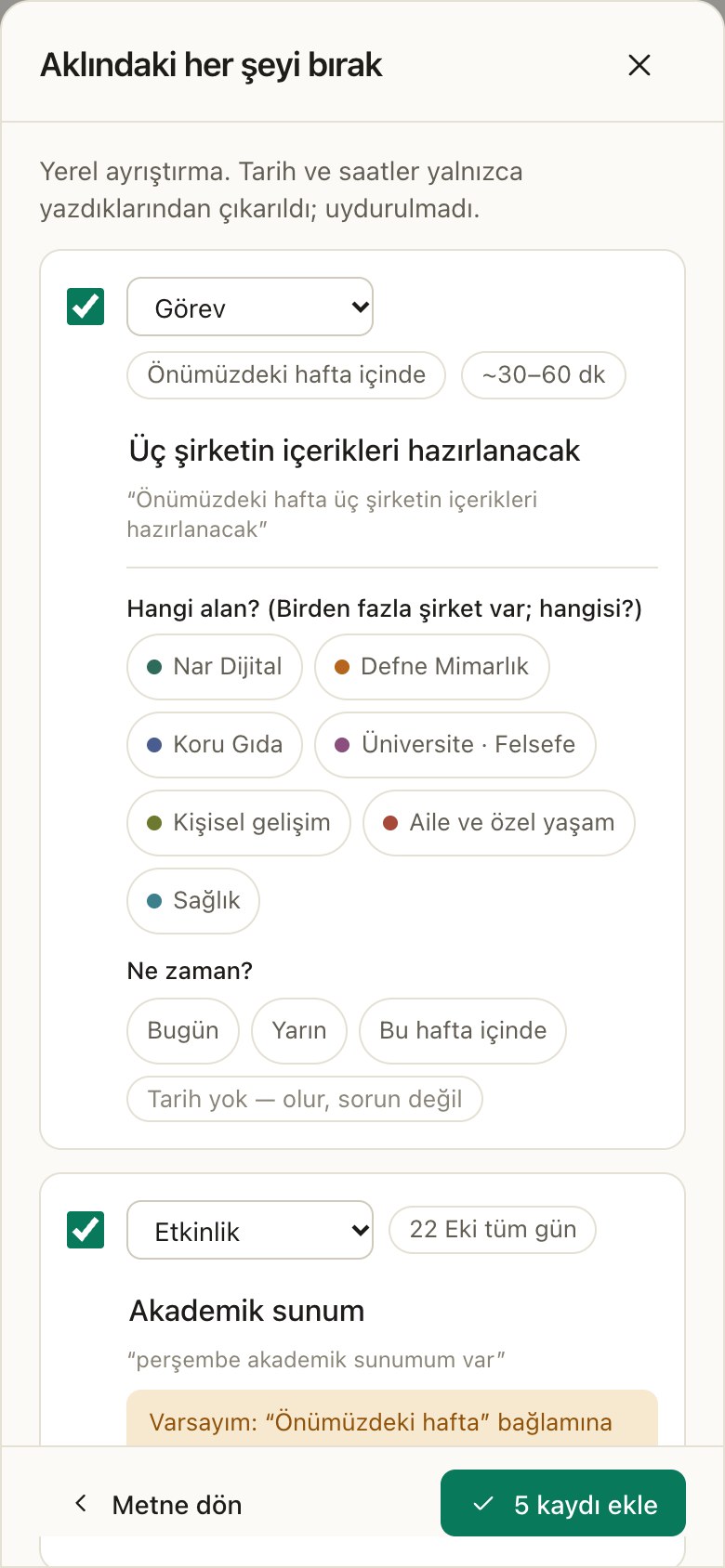
When the day overflows
If you won’t make it, I’ll say so up front.
I count meetings, the gaps between them, the free time you should keep for yourself, and deadlines. If the day doesn’t fit I offer three ways out; pick one and I’ll apply it, regret it and you can undo it. I won’t pretend something fits when it doesn’t. Not in my nature.
Try the capacity →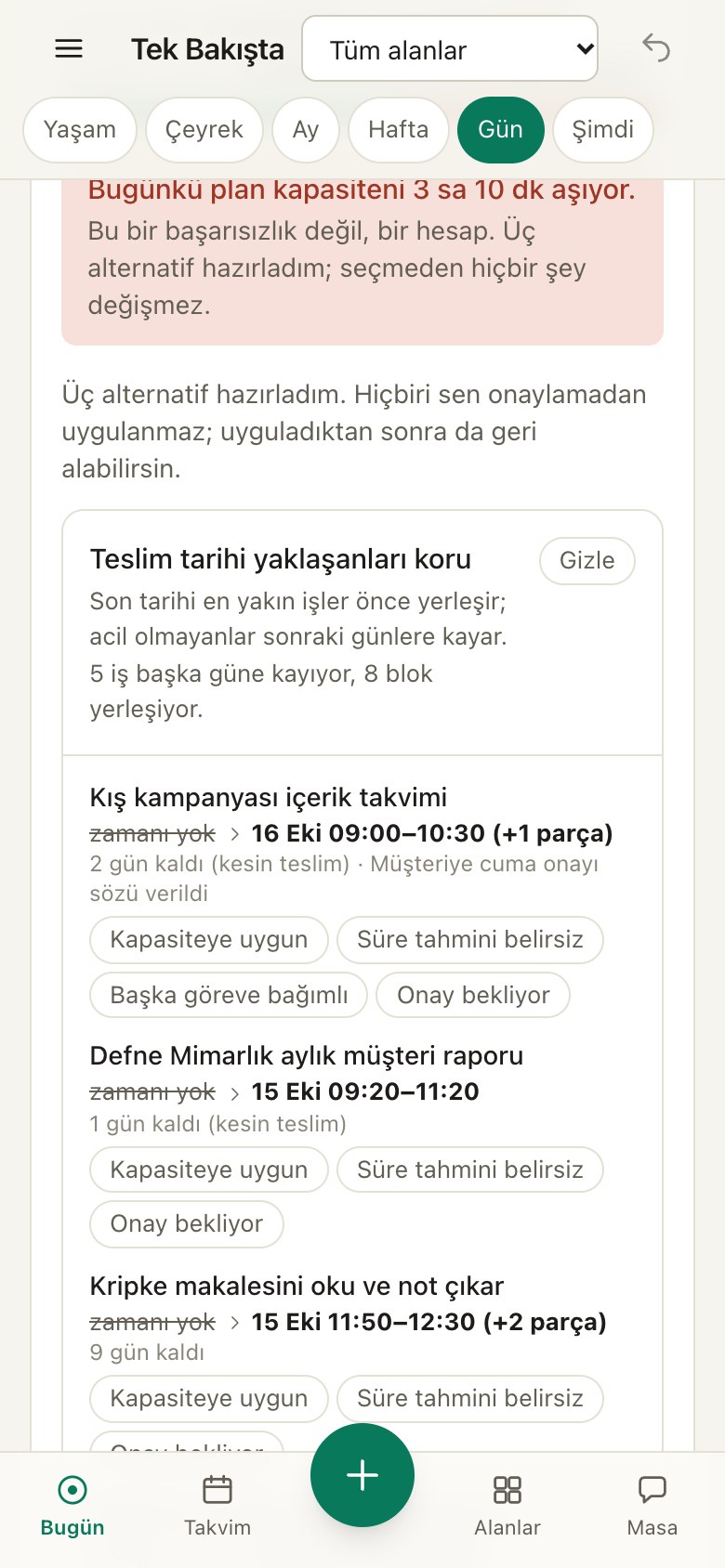
The Calm Table
Let’s carry your worries together.
Inner Voice frets “what if I don’t make it,” and the Coach ties each worry to a time slot, a follow-up or a “let’s look again on that day.” You just say “okay.” Tea and coffee are on you.
Take a seat →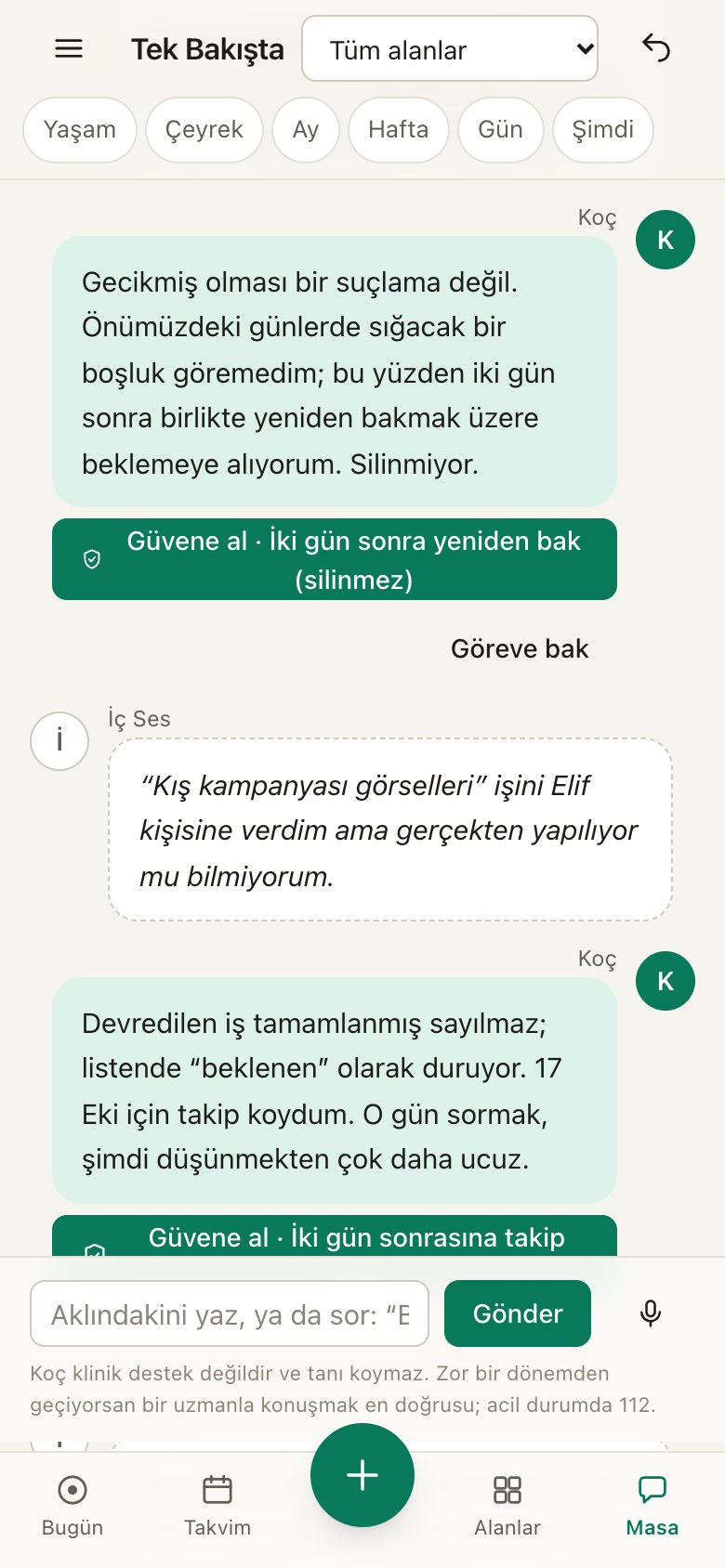
Focus and radar
One task, one step. I’ve got the rest.
When you want focus, only the next tiny step stays on screen. A random thought pops up? Park it, it won’t get lost. The radar spots the tight corners before you hit them. Surprises are for birthdays only.
See the radar →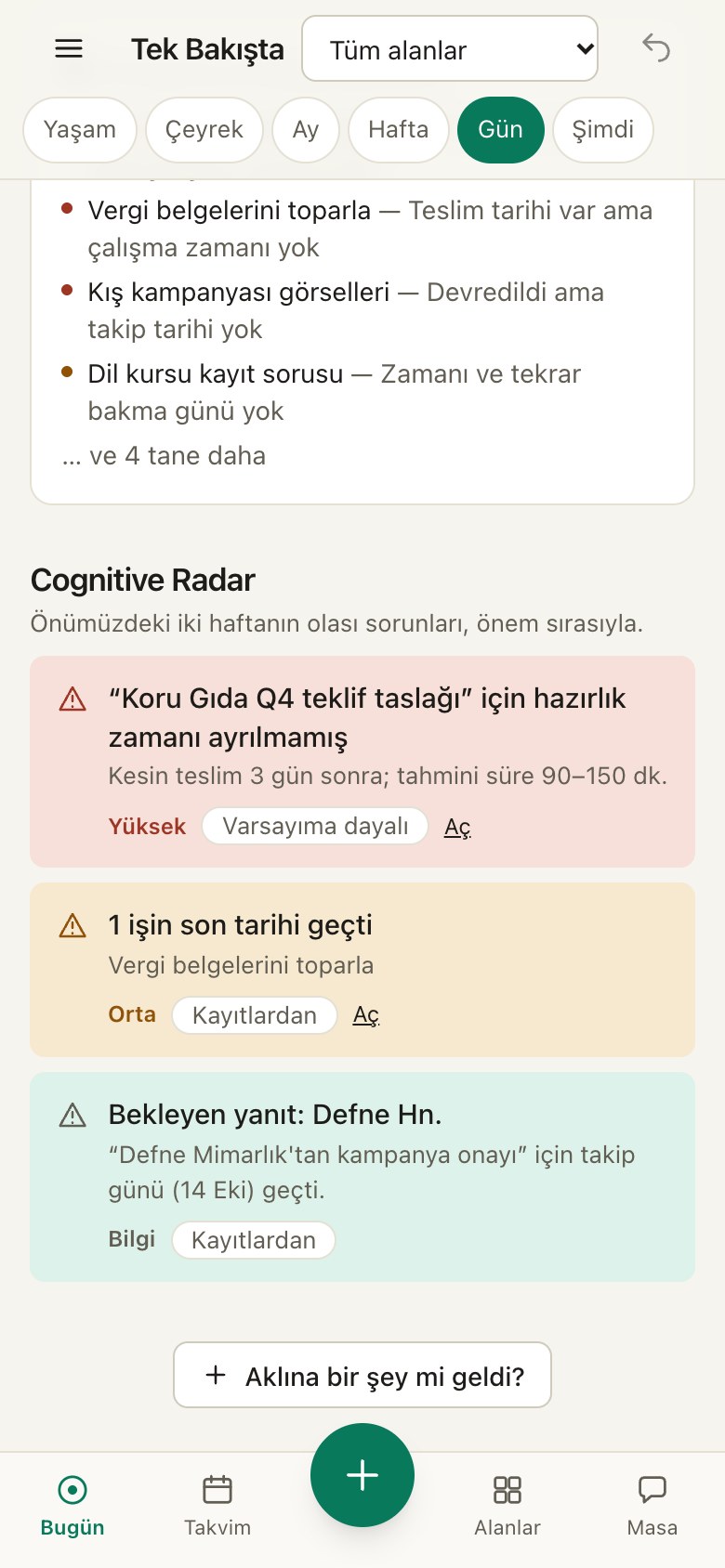
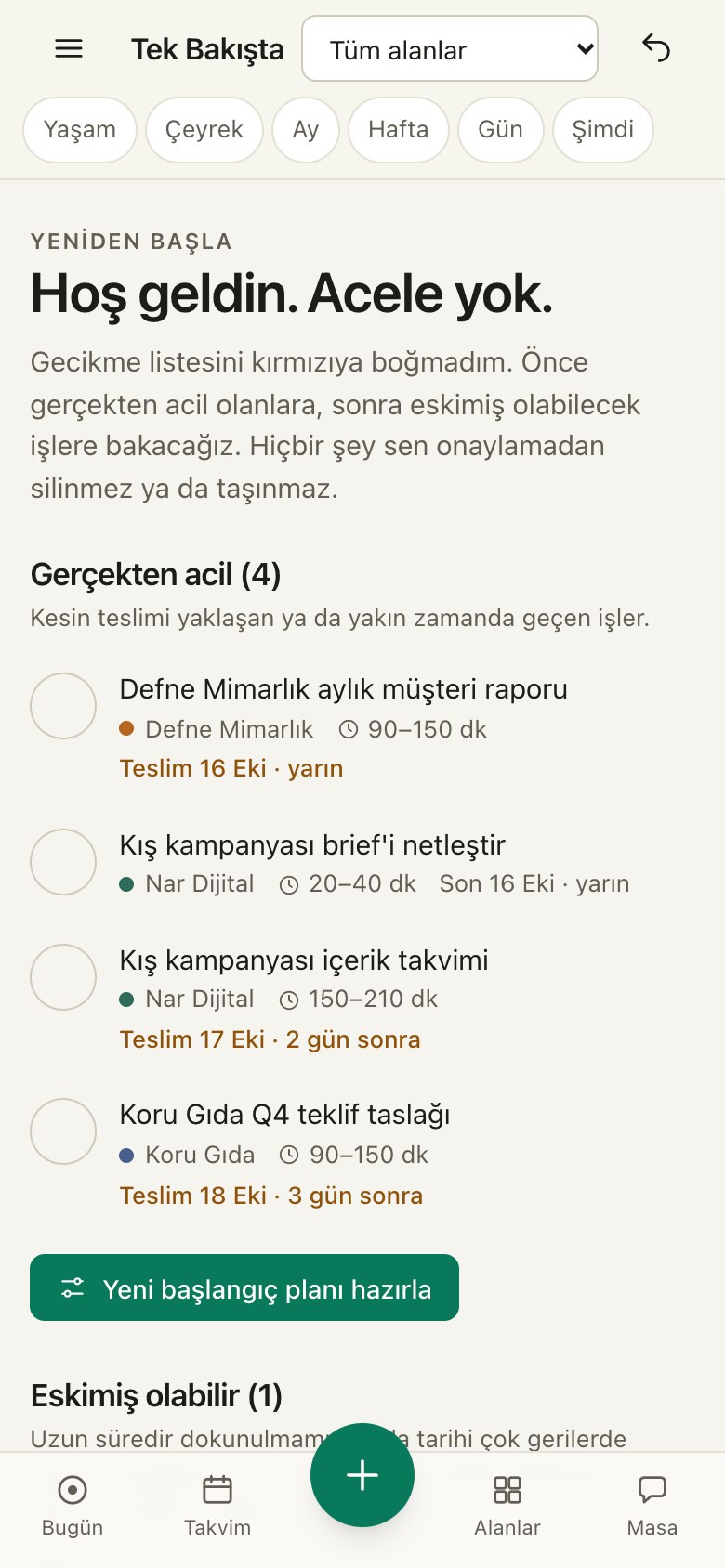
On desktop too
Quick on your phone, roomy on your desktop.
Same account, same data. Add it on one, it’s waiting on the other. (Yes, it’s nice to step out of a meeting and find it already there.)
Try it
Don’t take my word for it. Try it.
Every card below really works. Tap one, mess with it, try to break it. If you do, there’s a reset button.
Many companies, one panel
However many companies you run, they’re all here. Each in its own color.
Three companies, one brain, zero tabs. Add as many companies and areas as you like; see them together, or tap one and the panel turns into that company. Each company’s data stays separate.
Your whole life
All companies and areas, combined
9
open tasks
6
due this week
2
waiting on
Top tasks
- Kış kampanyası içerik takvimi · Saturday
- Defne Mimarlık aylık müşteri raporu · Tomorrow
- Kripke makalesini oku ve not çıkar · Saturday (in 9 days)
- İngilizce: 30 dk dinleme çalışması
- Koru Gıda Q4 teklif taslağı · Sunday
Coming up
- Koru Gıda ekip görüşmesi · Today
- Diş randevusu · Today
- Çocukla hafta sonu planı · Saturday
Estimated workload: 14 h. Each area’s data is kept apart; the combined view is only visible to you.
Color
You pick the color.
Emerald is my favorite, but if it isn’t yours, go ahead: pick below and the page changes into it instantly. In the app you change it in Settings, any time.
Pricing
Free for now. Fair later.
I’m just getting started; prices for paid plans aren’t set yet. When they are, you’ll hear it from me first. I won’t hold your data hostage, promise.
Starter
Free
Open now
- Day, week, month, quarter and life views
- Dump a note, I sort it; radar; mental ledger
- The Calm Table
- Sync between phone and computer
- Export or delete your data any time
- My pick
Pro
Free during early access
Price not set yet
- Everything in Starter
- Better text sorting, detailing and Table wording
- As many companies and areas as you want
- Calendar connections (on the way)
- Priority answers to your questions
Team
Coming soon
Still working on it
- Everything in Pro
- Add your team, you choose who sees what
- Delegate work, I’ll do the follow-up
- Shared company panels
Who it’s for
For brains that are always in ten places at once.
These are made-up characters, not real reviews. But the scenes will feel familiar, I bet.
Three companies’ deadlines landed on the same day. The radar says so on Thursday, and prep time goes on Tuesday, not Friday. Elif drinks her coffee instead of panicking.
EElif
Handles marketing for three brands
Made-up character · not a real review
Exam week collides with a busy campaign. I weigh both together; if it doesn’t fit I say “it doesn’t fit” and show what could give. Kripke can wait.
MMert
Works full time and reads philosophy
Made-up character · not a real review
Vanished for two weeks. Instead of a red list she gets “look at these three first.” When she can’t start, I shrink the task to two minutes.
SSelin
Has an ADHD diagnosis, struggles to stick with plans
Made-up character · not a real review
Things you might wonder
Is this ADHD treatment? Do you diagnose?
No to both. I’m not a medical product; I don’t diagnose or promise treatment. What I do: make it easier to start, to prioritize, to return to a half-finished task. If you’re going through a hard time, talking to a professional is always better.
Who sees what I write? Do you act on my behalf?
It lives in your account and only you see it. Some features (better text sorting, the Table’s sentences) use a language model; when it’s on, only the short info needed for that feature (titles, dates, the text you wrote) goes through my server. Your documents and emails aren’t sent. I never complete, delete or move anything without asking; you see each suggestion first and can undo it.
Can I delete my data?
Yes. In Settings you can download everything (JSON, .ics), delete what I remember, and remove your account entirely. I’d hate to see you go, but I won’t lock the door.
Can I try it without signing up?
Yes. In no-account mode everything stays on this device. If you sign up later, I move your data into your account.
Does it work on my phone?
It does. Add it to your home screen like an app; there’s a bottom bar, one-handed quick add and voice notes. It opens offline too and syncs when you’re back. There’s no separate store app yet.
Why only Turkish?
Right now the part that sorts your notes thinks in Turkish; it can’t sort sentences written in English yet. The English interface is on its way. Patience, tea is brewing.
Put it all down.
Write your first note, I’ve got the rest. You can close the tabs too.